Consistent Styling
You may want to give your app a certain color scheme. Instead of specifying color in all your components with a hardcoded string, you should use a theme. This will ensure that you do not forget to add the color anywhere you may want it, and takes away the extra work in doing so.
App Themes
Dara provides two pre-built themes: one for light mode and one for dark mode. These themes include a set of default colors that can be applied across your app. Below are the default colors for each theme:
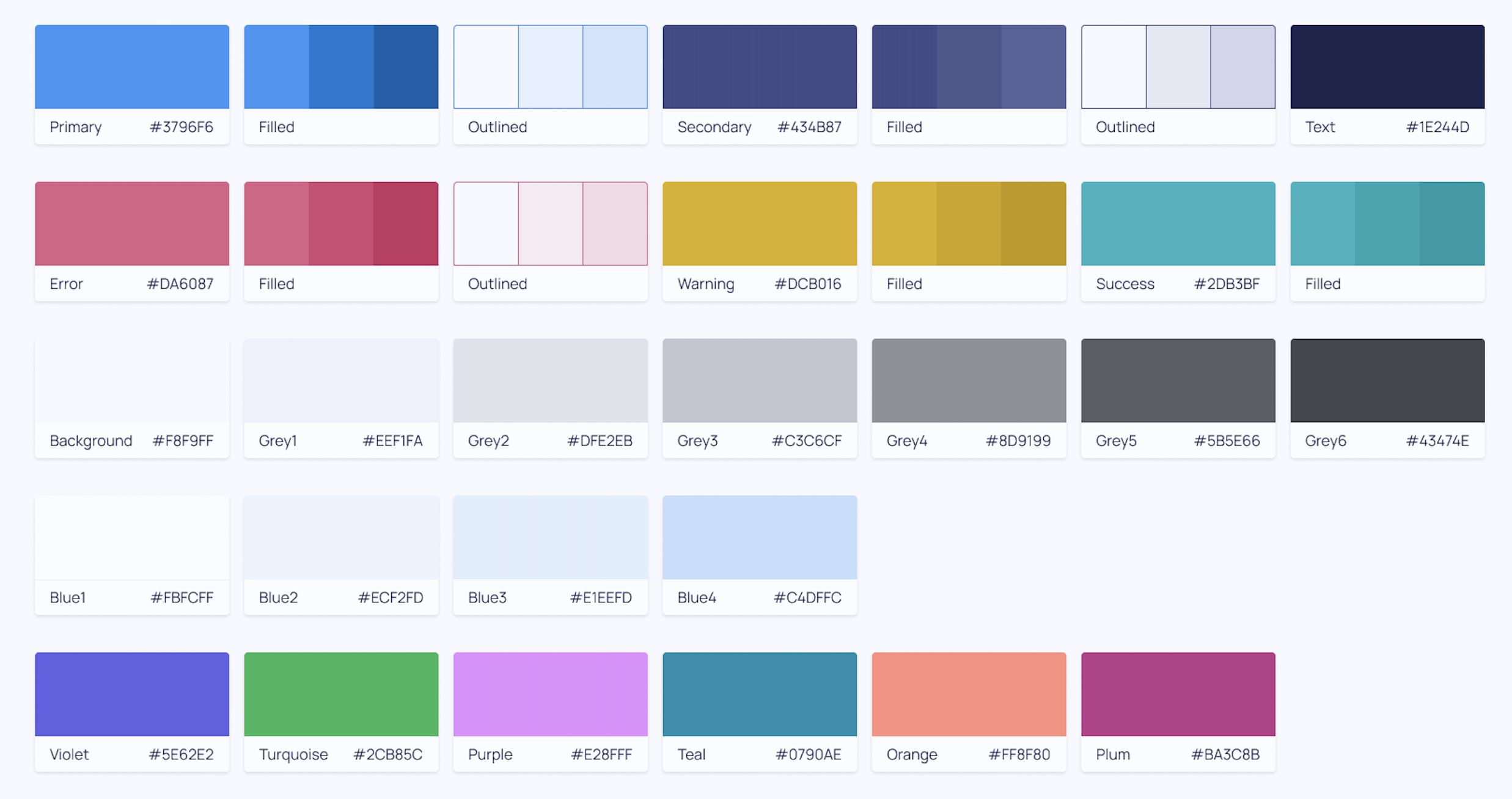
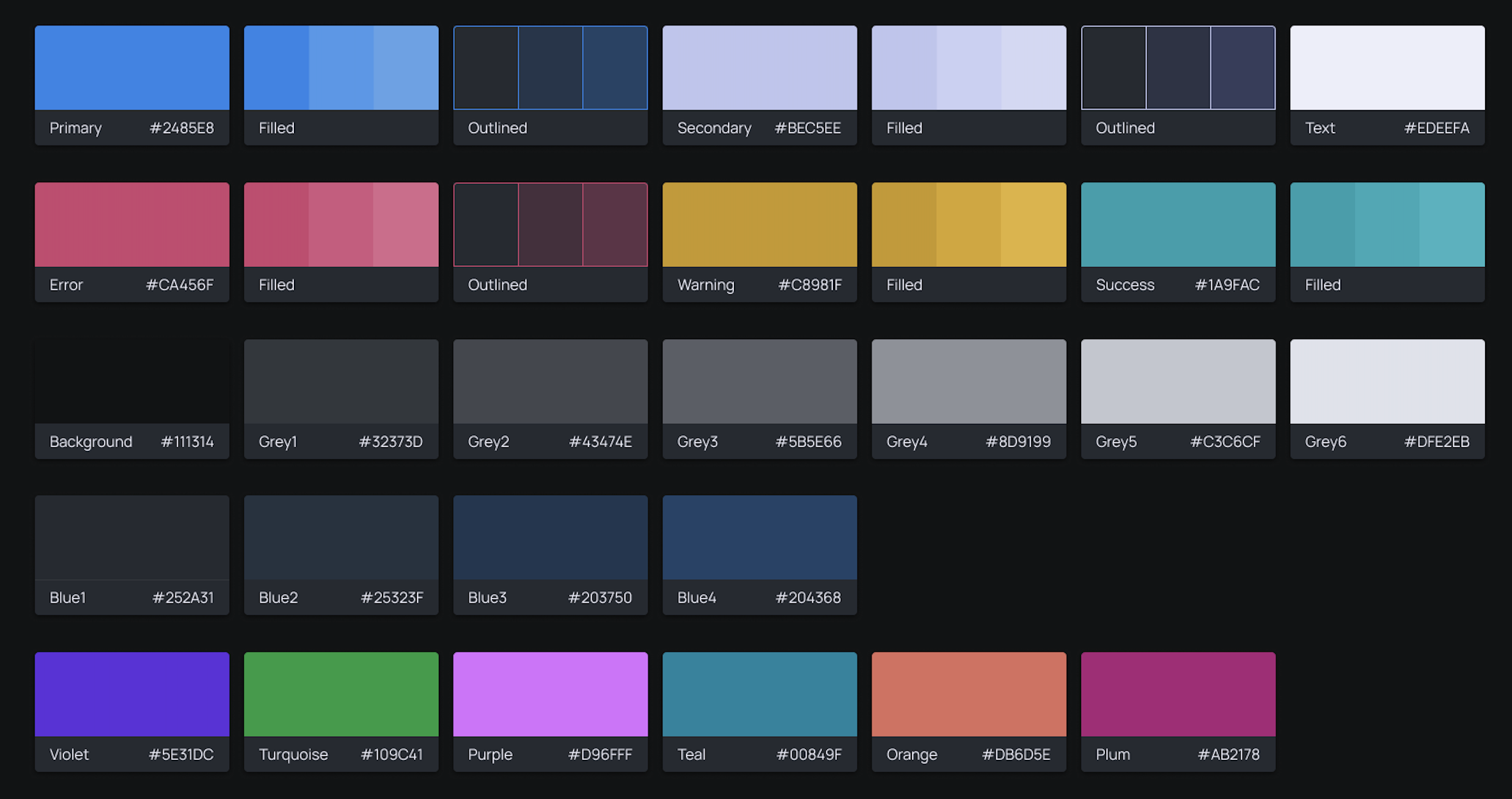
To apply a color from one of these themes to a component, you can use the following approach:
from dara.components import Text
from dara.core.visual.themes.light import Light

Text('Hello World', color=Light.colors.teal)
This example applies the teal color from the Light theme to a Text component.
If you prefer to create a theme tailored to your brand, you can learn how to define your own theme here.
Plotting Themes
Plotting components such as Plotly and Bokeh are unique in that they also can take default themes, this can be done with the following:
from dara.components.plotting import set_default_bokeh_theme, set_default_plotly_theme

# provide theme object as expected by bokeh Document, see docs https://docs.bokeh.org/en/2.4.1/docs/reference/document.html#bokeh.document.Document.theme
set_default_bokeh_theme({ ... })

set_default_plotly_theme({ ... })
The set_default_bokeh_theme and set_default_plotly_theme takes a dictionary representation of the theme that each plotting library takes.
For example, you can use the following default Dara dark theme for Plotly:
import plotly.express as px
from dara.components import Plotly, set_default_plotly_theme
from dara.components.plotting.plotly import dark_theme


df = px.data.iris()  # Using built-in Iris dataset
fig = px.scatter(df, x='sepal_width', y='sepal_length', color='species', title='Iris Dataset Scatter Plot')


set_default_plotly_theme(theme=dark_theme)
Plotly(figure=fig, min_height=500)
You can also modify the default themes for each plotting library by modifying the theme dictionary. You can find the documentation for themes in the links below:
CSS & Reusable Components
If you only want to change the color of say, one type of component, you can use the principle of reusable components.
from dara.components import Button

def GreenButton(content: str, **kwargs) -> Button:
    """
    Displays button in green
    """
    kwargs['raw_css'] = {'background-color': '#00FF00'}
    return Button(content, **kwargs)